Connect form intake to the apps your team relies on
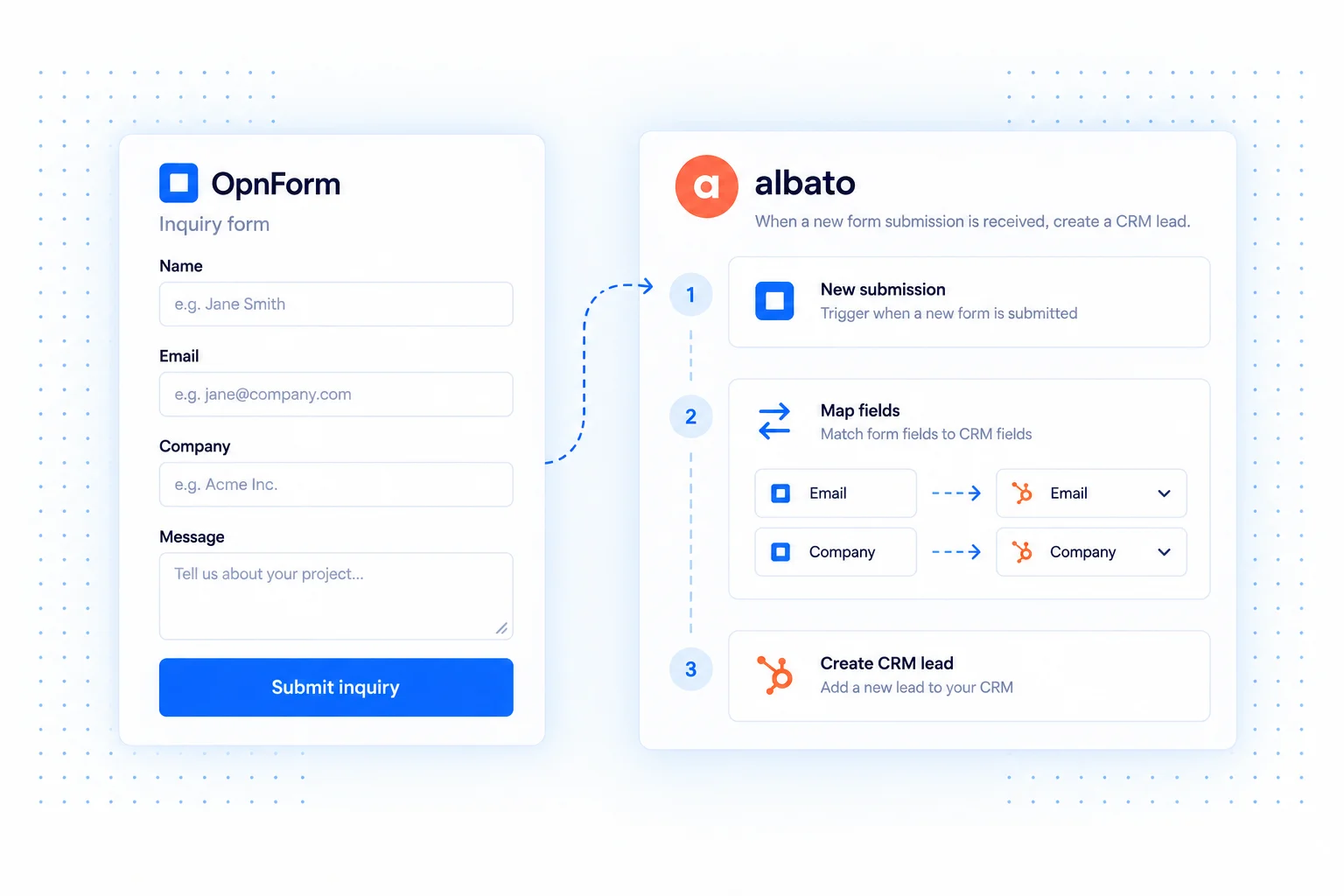
Use Albato to turn an OpnForm submission into actions in connected business tools. Capture the information once, then map it into the records your sales, marketing, or operations team needs.
The useful part of the connection is the handoff: a name and email become contact fields, while the request and company details give the receiving team context. Configure that mapping in Albato around your own process.
Albato integration use cases
Create CRM leads from inquiries
Map contact details, company, and the request into a lead record supported by your CRM connection. Check how the destination treats an email address that already exists.
Start a customer onboarding process
Pass a completed onboarding form into your connected operations tools. Give the next team the original request details and notify the person responsible for review.
Route campaign responses
Collect the campaign or source alongside a respondent's request. Preserve that field in your destination so your team can understand the context when following up.
Connect OpnForm to Albato
Start from the OpnForm integration in Albato.
- Open the OpnForm listing in Albato and create an automation.
- Configure the OpnForm connection and submission trigger using Albato's instructions.
- Capture a sample response and map its fields to the destination app's required values.
- Test the automation, verify the destination record, and enable it for new submissions.
Build a dependable workflow
Map only the fields needed for the destination process. Test empty optional answers and existing contacts, then document who owns the automation. Review connection permissions if the workflow stops delivering new records. Actions, execution limits, and account requirements depend on your automation provider and its connected apps.
Common questions
Is this a two-way data sync?
This page describes a workflow starting from an OpnForm submission. It does not imply that edits made in a destination app are synchronized back to your form responses.
Compare Pabbly Connect for another business workflow option, or use webhooks when your own endpoint should handle the data.